Process automation
Saving time and resources by simplifying a complex process
1 hour of daily tasks saved per agent
Improved employee satisfaction
Decrease in related customer complaints
Challenge
Book selling is messy.
The digital maturity of publishers varies – some use reliable logistics systems, others still rely on pen and paper. Therefore, online bookstores like Martinus often face the following issue:
- A customer buys a book we believe is in stock at the distributor’s warehouse.
- The distributor later finds out it’s unavailable due to damage, loss, or data error.
- A Book Buying Agent then has to contact the customer, apologize, and revise the order.
My team’s task was to speed up this process.
Research
The PM and I set up interviews with the Book Buying Agents. During these shadowing sessions, we mapped out the entire process and identified major pain points.
Process map
The agents use a dated internal system to handle the sold-out products. It requires multiple steps, each carried out in a different part of the system.
Handling customer orders
Pain points
I identified following issues the users struggled with:
Repetitive tasks
Agents repeat this process for every sold-out product and for each order that included the product. This results in hundreds of manual operations each day.
Fragmented system
The steps of the process are dispersed across various sections of the system – managing products, CRM, orders, refunds, gift cards, etc.
Dated UI
The system in use is outdated and features a decades-old user interface. The inconsistent UI is difficult to navigate and prone to errors.
Exploring solutions
Following the research phase, we discussed potential solutions.
Prevention?
Can we prevent this issue from happening in the first place? Unfortunately, likely not. There are many distributors, each using different logistics systems.
Quick wins?
We identified several simple improvements, such as some minor UI issues, but this wasn’t sufficient to solve a problem this complex.
Redesign the screens?
To simplify the process, we could improve the outdated UI and add more internal links. But this wouldn’t address the main pain point – repetitive tasks.
Automation!
To mitigate repetition, we have to automate the process. We can achieve this by creating a new section in the system that handles the automation.
This is the solution I decided to pursue.
User needs
I talked to the agents again to dive deeper into their needs when it comes to automation:
Staying informed
Users need enough information about what exactly happened or is going to happen during automation.
Maintain control
They need control over the process, such as having the option to exclude specific products or orders from automation.
System reliability
They need the system to resist errors. In case of failure, they need to know what happened and have an option to fix it.
Technical limitations
- Reordering products
Currently, the system is not ready for implementing automatic reordering. However, the existing functionality used by agents allows for bulk reordering. - Gift cards
Handling orders paid with a gift card cannot be automated.
Solution
To ensure the design worked, I needed to integrate the automated process with user needs and technical constraints. After spending several days outlining user flows, sketching, and iterating, I came up with a solution.
Step 1
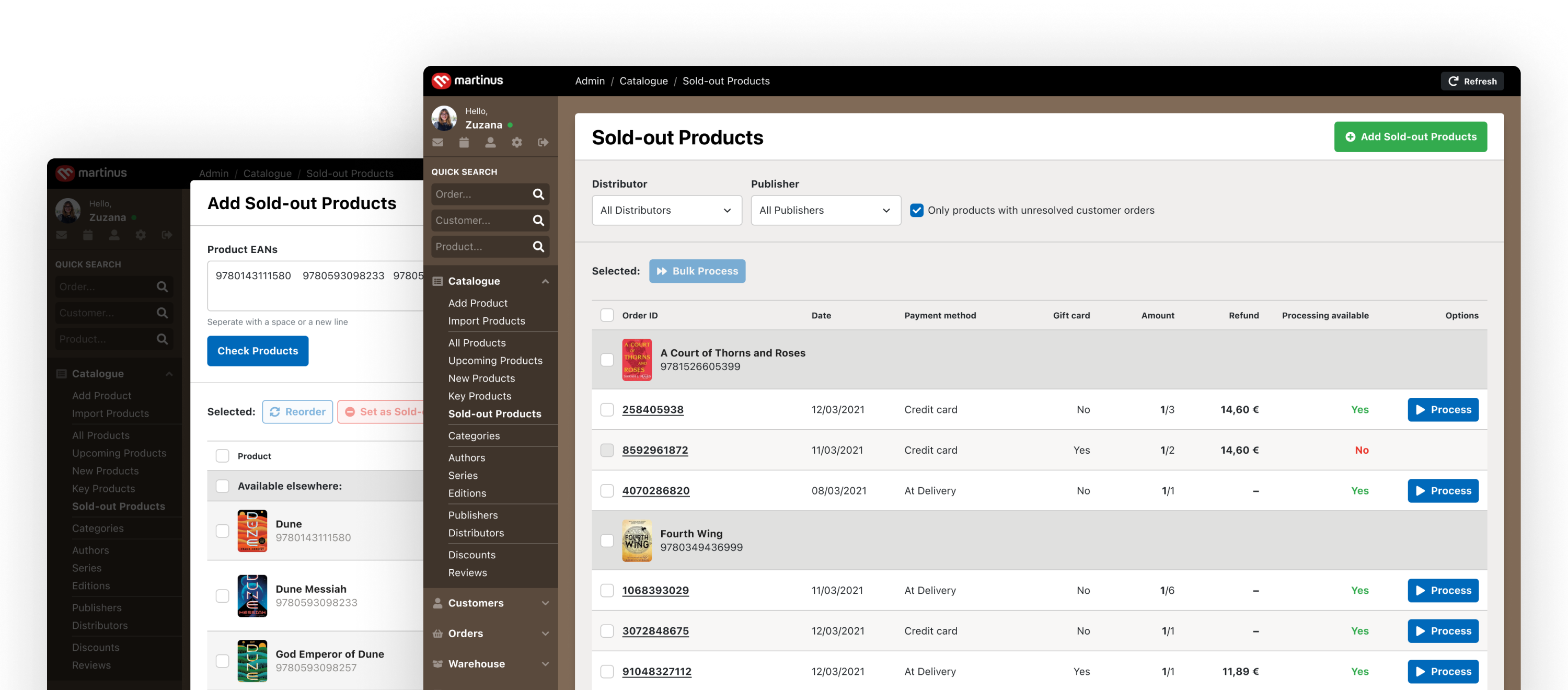
Sold-out products screen
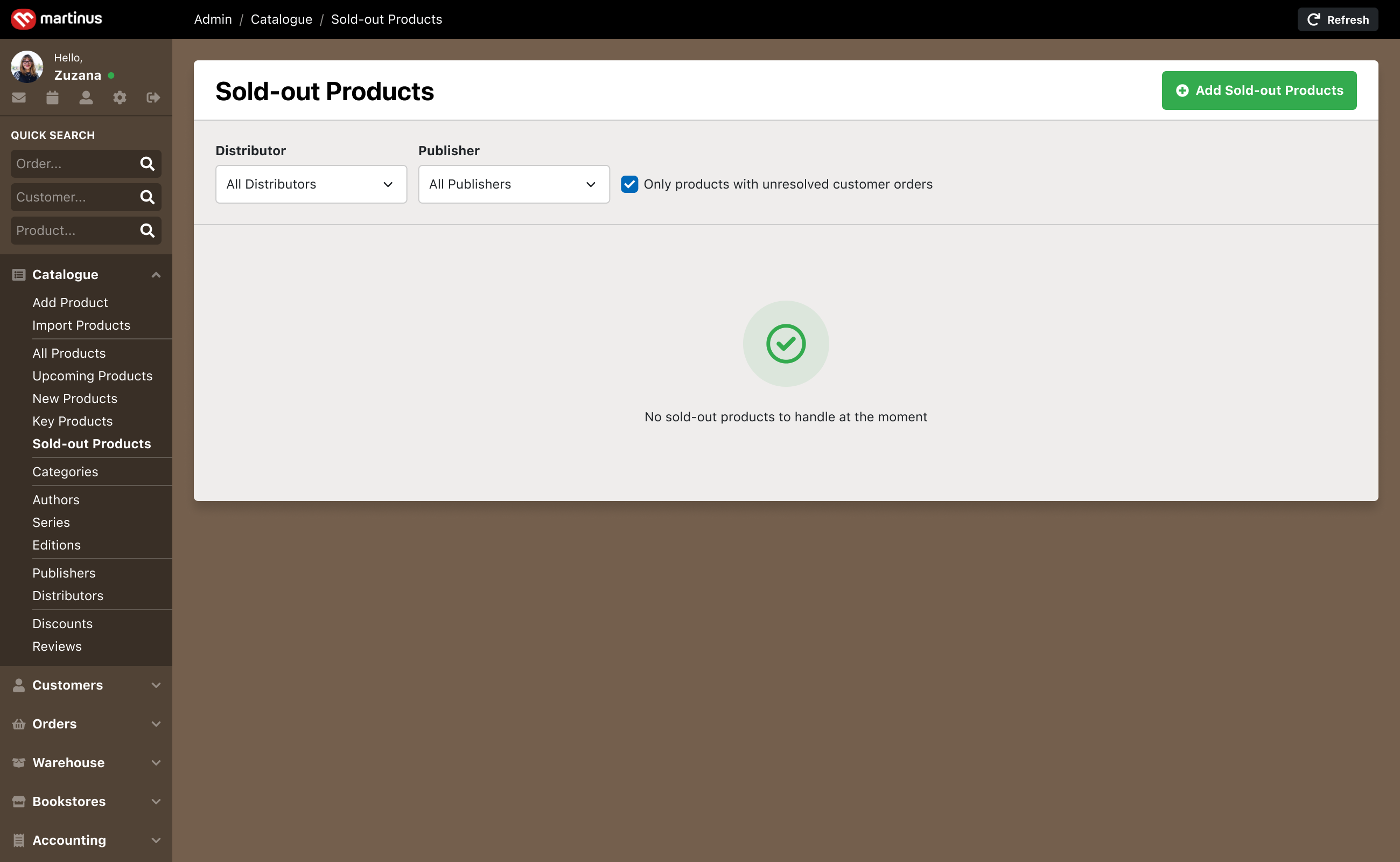
The user navigates to the section, which is initially empty since there are currently no sold-out products in customer orders.
Step 2
Add sold-out products
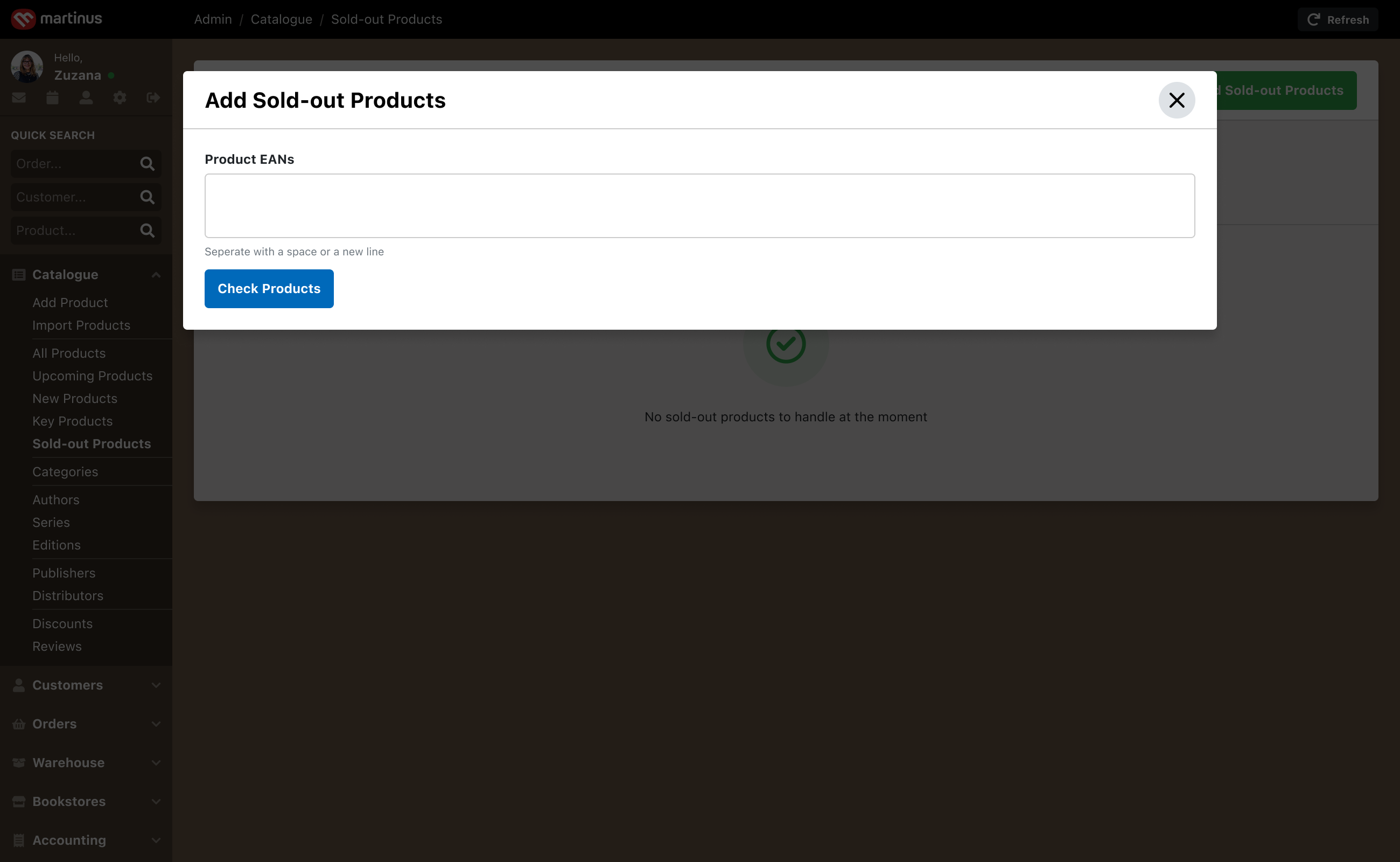
The Add Sold-out Products button opens a modal featuring a single textarea.
Here, the user pastes the product EANs, typically copied from a spreadsheet provided by the distributor.
Step 3
Check products availability
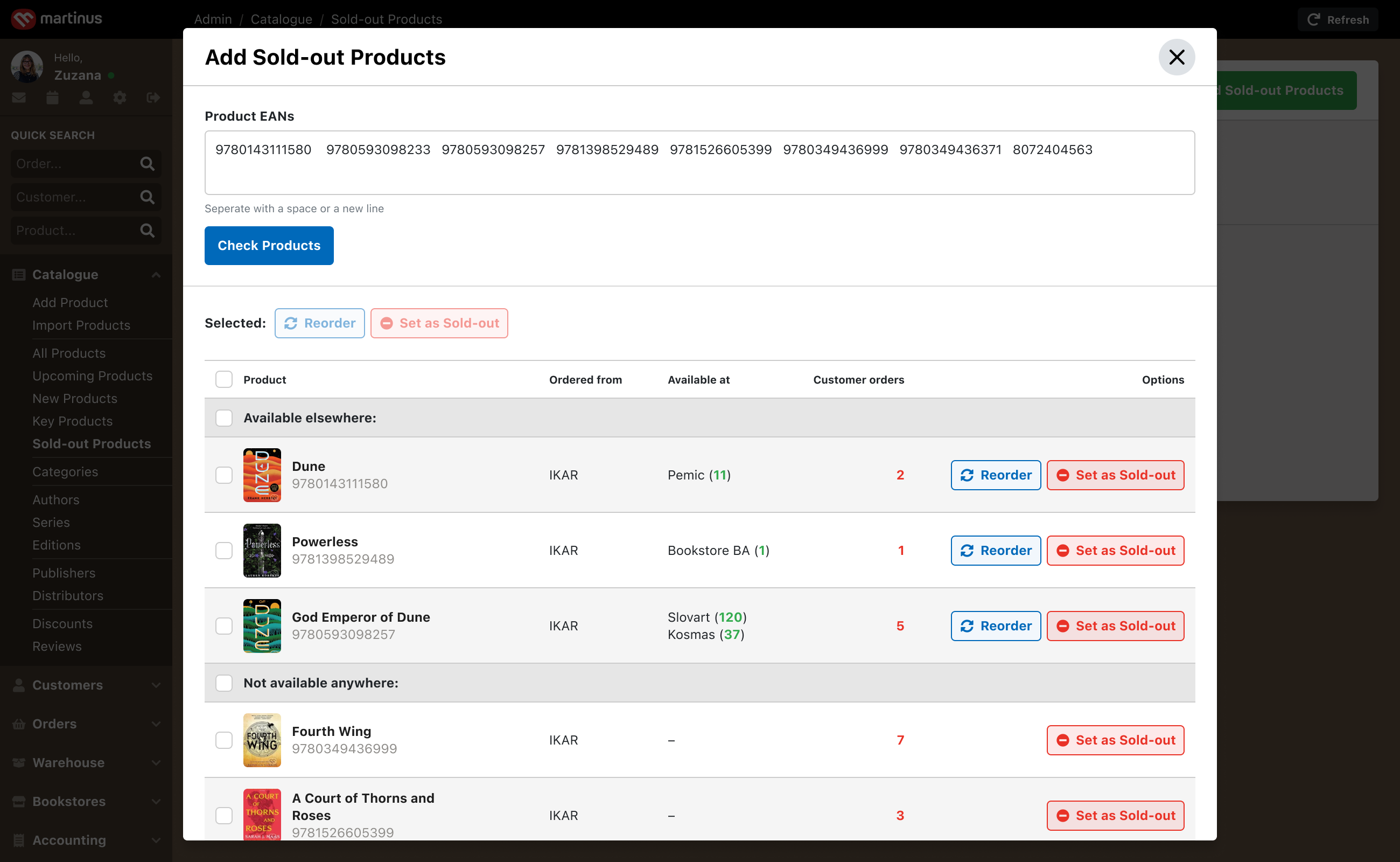
Once the form is submitted, the pasted products are displayed below, showing their availability.
The user then reorders products available elsewhere (this is done on an already existing screen open in a separate window) and marks the remaining products as sold-out.
Step 4
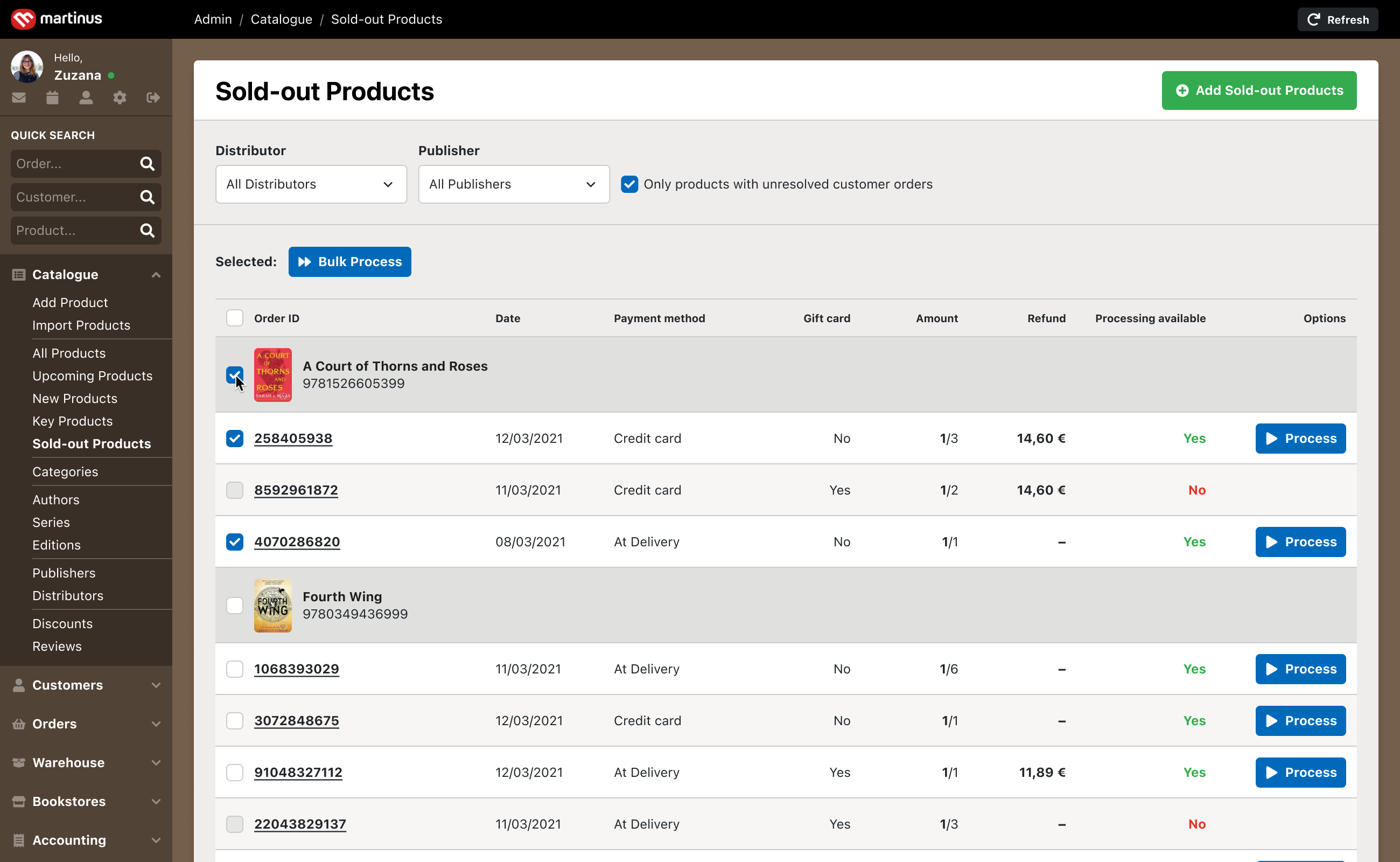
Back to sold-out products screen
The user returns to the initial screen, which now displays all sold-out products associated with at least one customer order, along with the orders themselves.
The user can now process the orders either individually or in bulk.
Step 5
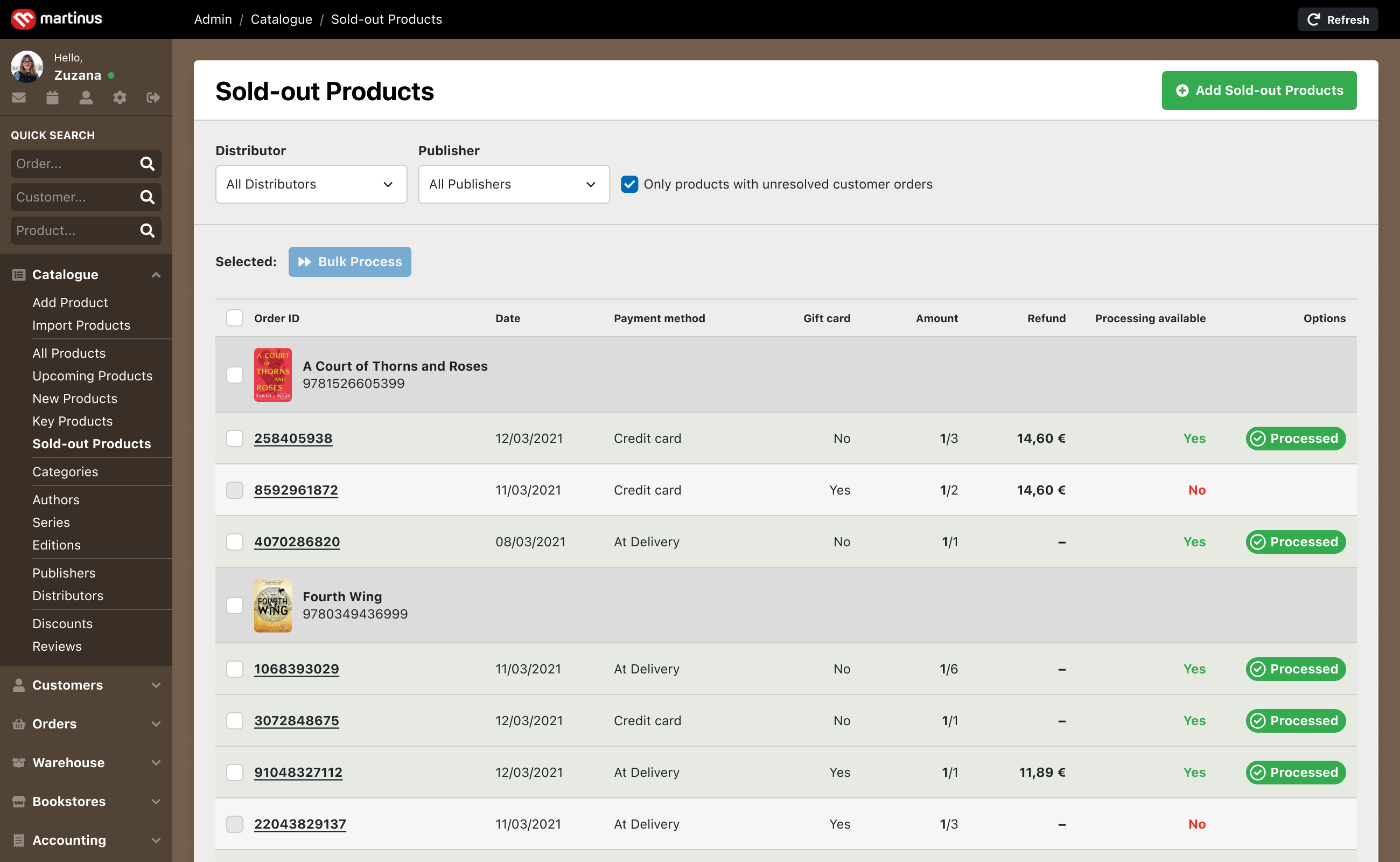
Automate!
The processed orders are automatically canceled or revised, and customers receive a refund and an email notification.
Since not all orders can be processed automatically (due to a gift card), some remain unresolved. The user now addresses these manually.
After that, all is done.
Design’s key benefits
- It allows order automation while recognising that not all orders qualify for this process.
- It gives users freedom to exclude a product or an order from processing if necessary.
- It provides sufficient information required prior to order processing.
- It uses an existing feature for reordering products, which won’t need re-implementation.
- It allows the process to be left unfinished.
Impact
After validating the concept through a usability test, it was implemented and is now in daily use.
Tons of
Saved time
The new automated process eliminated approximately 1 hour of daily tasks for each Book Buying Agent.
Improved
Employee satisfaction
With the elimination of mundane manual work, employees reported an increase in motivation and job satisfaction.
Improved
Customer satisfaction
Orders are processed more quickly and reliably, resulting in increased customer satisfaction.
“The amount of time this project saved my team is only surpassed by the positive impact it had on our well-being and motivation.”

Zuzana Pršová
Head of Book Buying at Martinus